- Free
- No sign-up
Audio to MIDI
Drop a recording. Get a .mid file.
This tool needs JavaScript.
Runs in your browser. Your file is not uploaded or stored. Privacy
Free VST3 & standalone
In your DAW: MG-Mini.
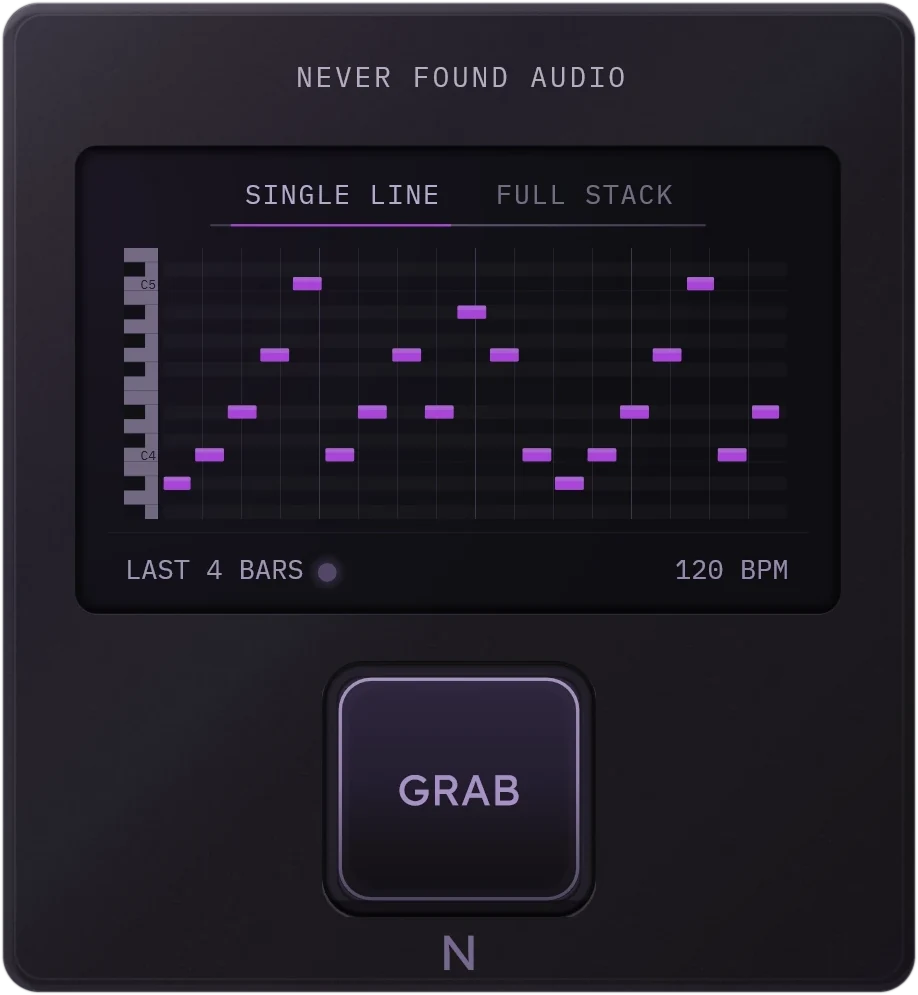
Press GRAB and what just played lands on your project's bars. Free by email.
Check your inbox
Click the link in the email and MG-Mini is on its way. The download arrives in a second message straight after.
Not there? Check your spam or junk folder: the first email from a new sender often lands there.
How it works
How to convert audio to MIDI.
- Drop an audio file (MP3, WAV, FLAC or OGG) on the window, or click to choose one.
- SINGLE LINE for one voice or instrument, FULL STACK for chords.
- Download the .mid and drag it into your DAW.
Details
What goes in, what comes out.
- Files
- WAV, MP3, FLAC, OGG and other formats your browser plays
- Tempo
- From the file name or its length, or set your own
- Output
- A standard MIDI file on your tempo's bars
- Engine
- MG-Mini's, ported to the browser
- Privacy
- Nothing is stored.
FAQ
Audio to MIDI questions.
Is this audio to MIDI converter free?
Yes. No sign-up, no account, no limit on the number of files.
Can I convert MP3 to MIDI?
Yes. MP3, WAV, FLAC, OGG and other formats your browser plays. A WAV file gives exactly the notes the MG-Mini plug-in gives.
Can it turn a vocal or a melody into MIDI?
Yes. SINGLE LINE is made for one note at a time: a vocal, a lead, a bassline, an 808.
Can it convert chords or a whole song?
FULL STACK transcribes chords and stacked voices. A full mix with drums and many instruments gives rough results; one instrument or a loop works best.
Is my audio uploaded?
No. The conversion runs in your browser, and the file never leaves your device.
How do I get the MIDI into my DAW?
Download the .mid and drag it onto a track. The notes sit on bars at the loop's tempo, taken from the file name or its length, or from the tempo you type in.